Keyboard shortcuts

Press ← or → to navigate between chapters

Press S or / to search in the book

Press ? to show this help

Press Esc to hide this help

Screenshots

A look around

Click a screenshot to see it larger.
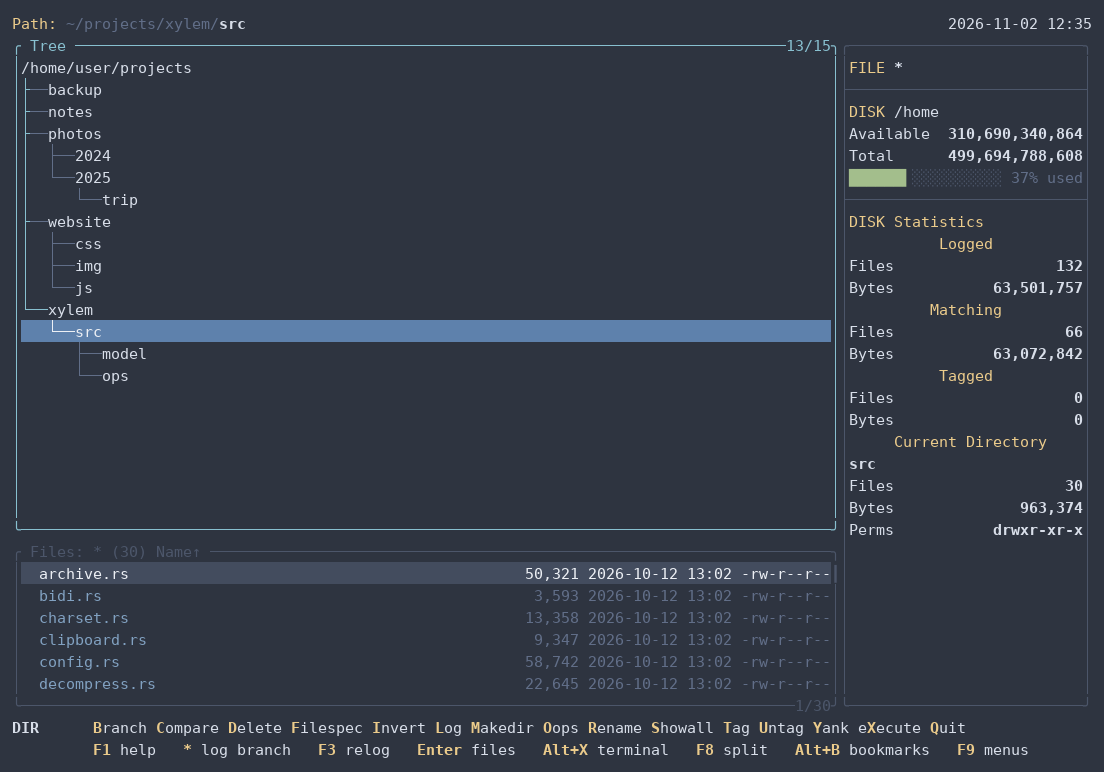
Directory tree, file window and statistics, in the nord theme
The tree — directories, the file window and the statistics, in the nord theme.
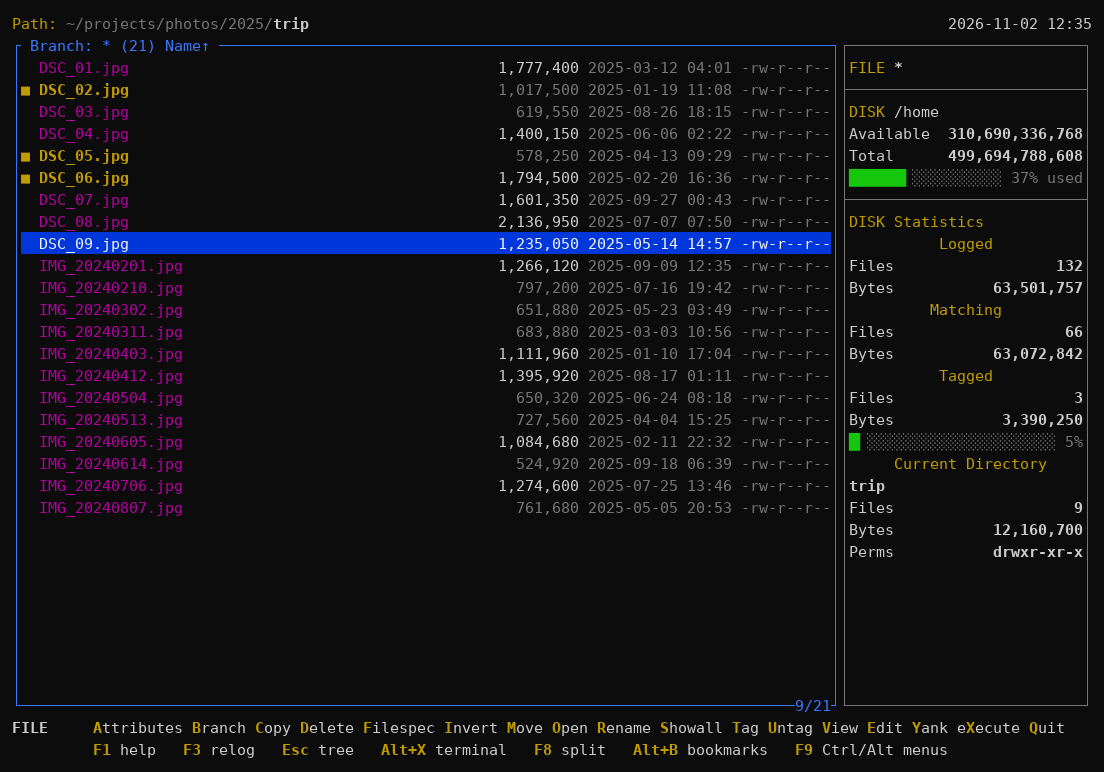
Branch view with three tagged files
Branch (B) lists the files of a whole branch; tagged files (T) are highlighted and counted.
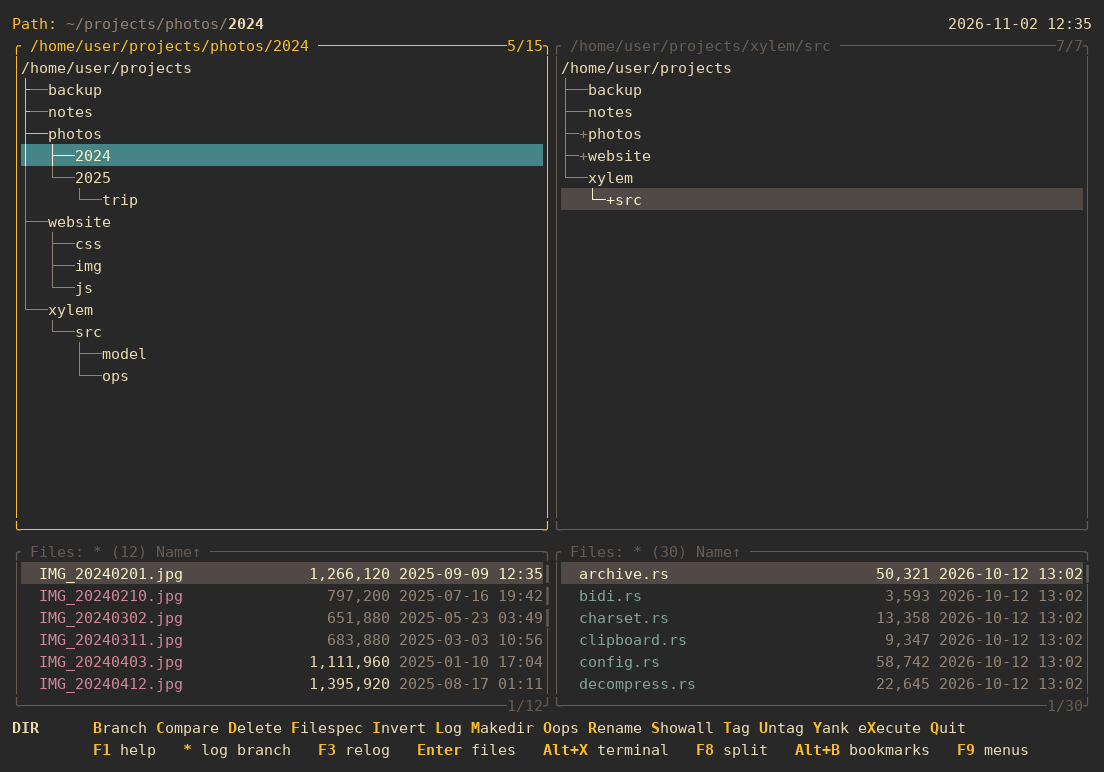
Split window: photos on the left, source code on the right
Split window (F8), each side with its own directory.
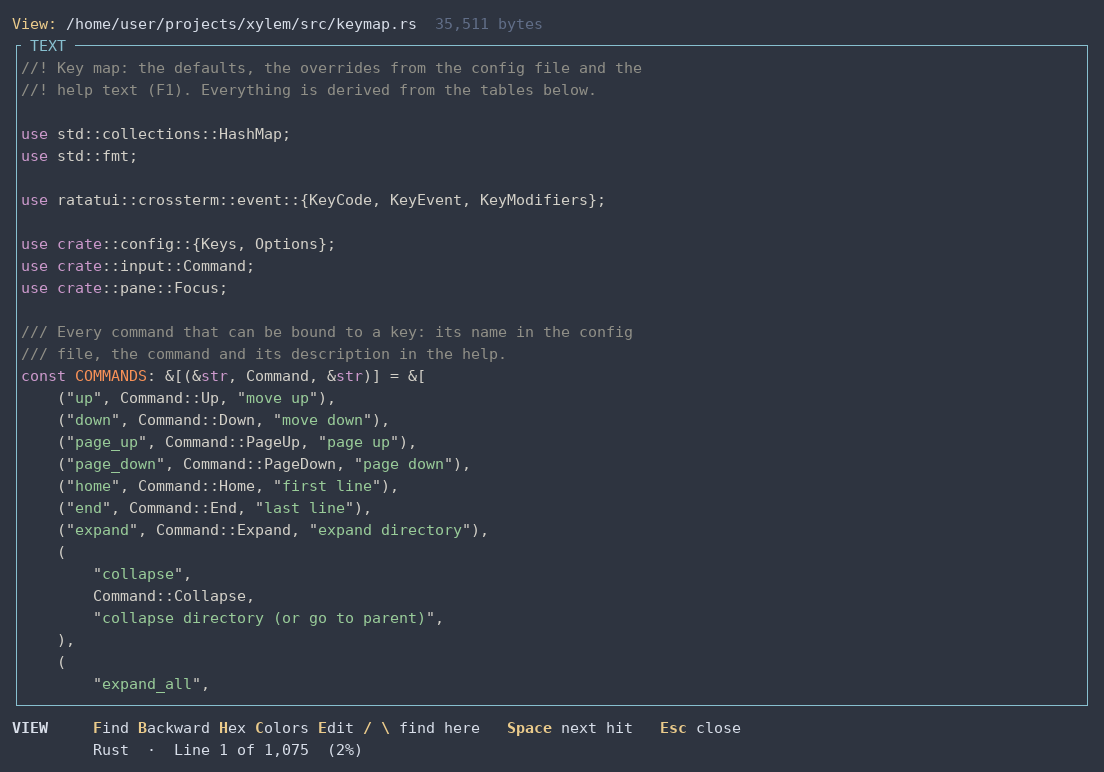
Viewer showing Rust code with syntax colors
Viewer (V), with syntax colors.
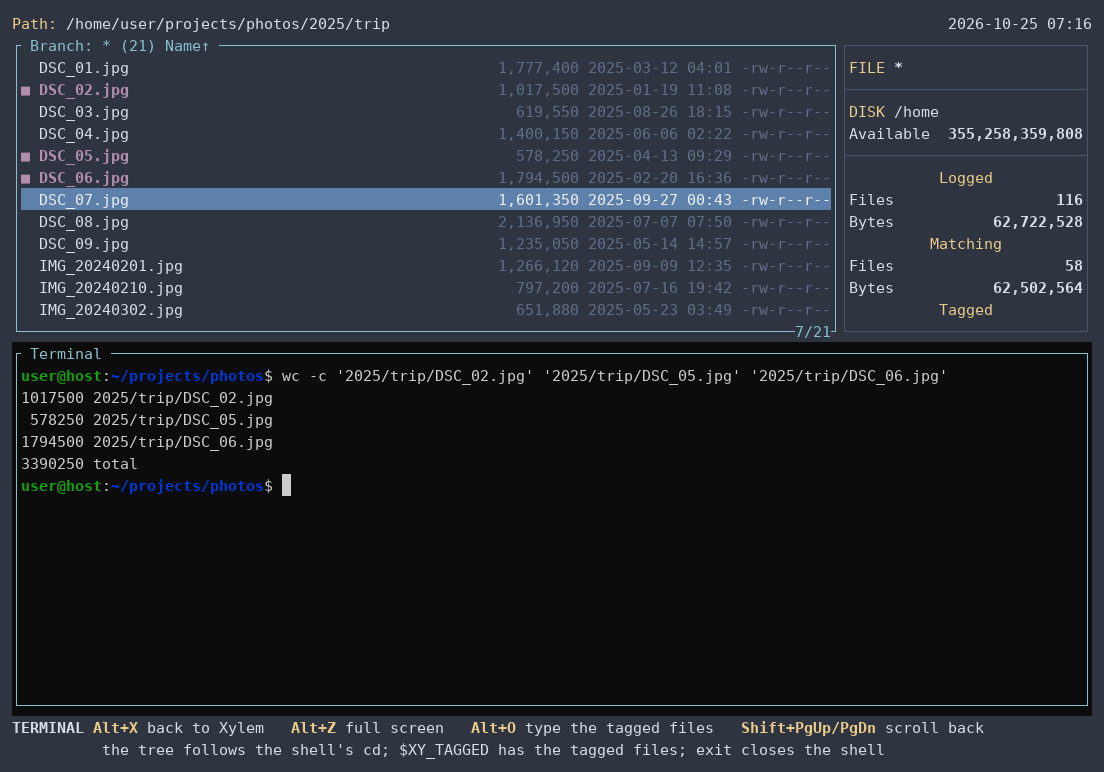
Three tagged photos typed into wc -c with Alt+O
Built-in terminal (Alt+X): tagged files typed at the prompt with Alt+O.
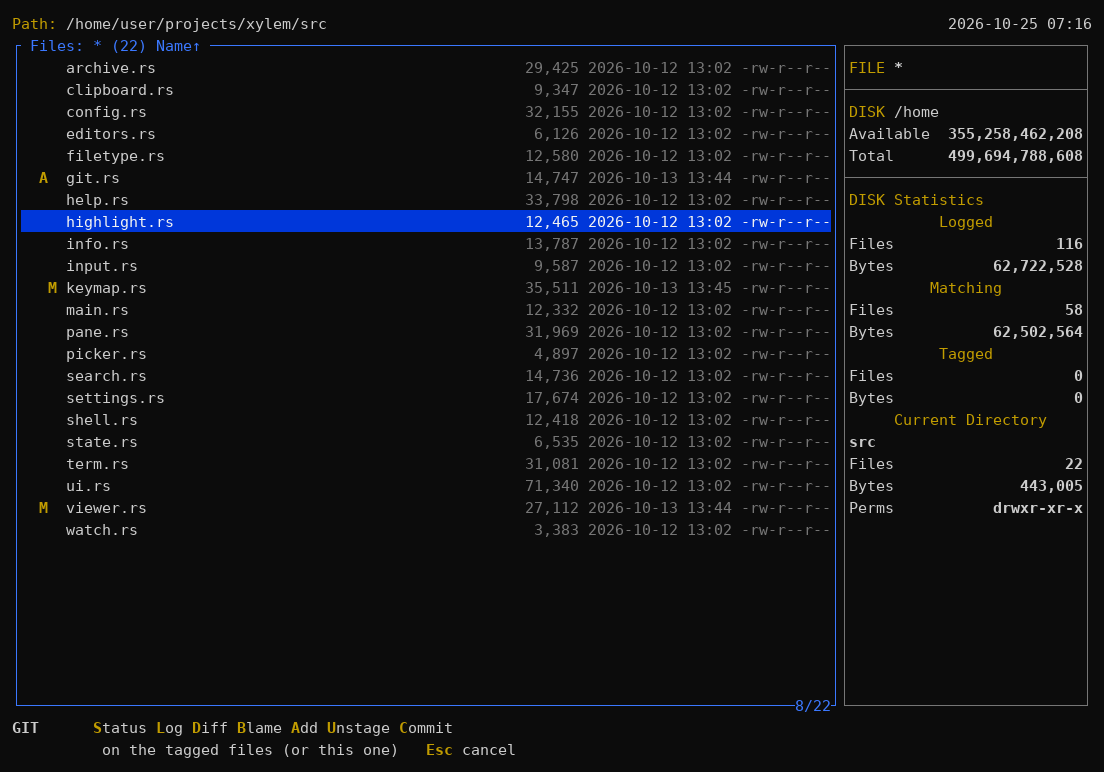
File list with Git status letters and the Git menu in the footer
Git (optional): status letters in the file list and the Git menu (Ctrl+G).
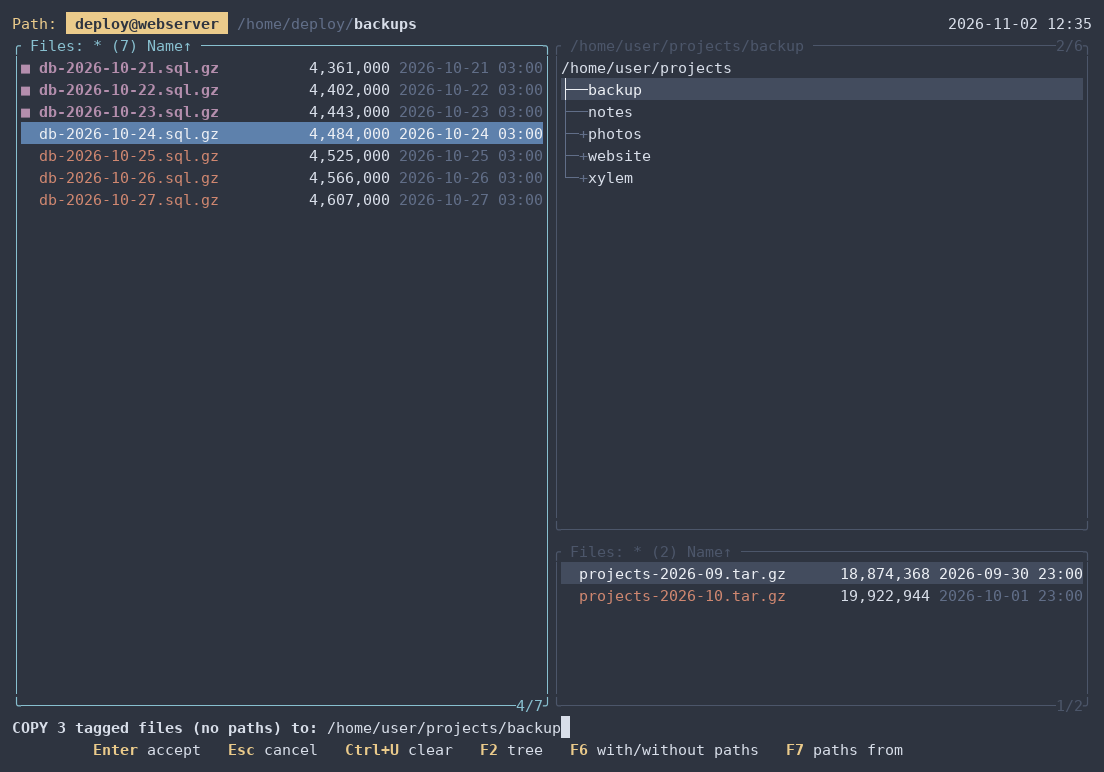
Split window: three backups tagged on a server reached over SSH, on the left, about to be copied into a folder of this machine, on the right
Remote machines (xy user@host:): a server over SSH next to this machine (F8), copying its backups here.
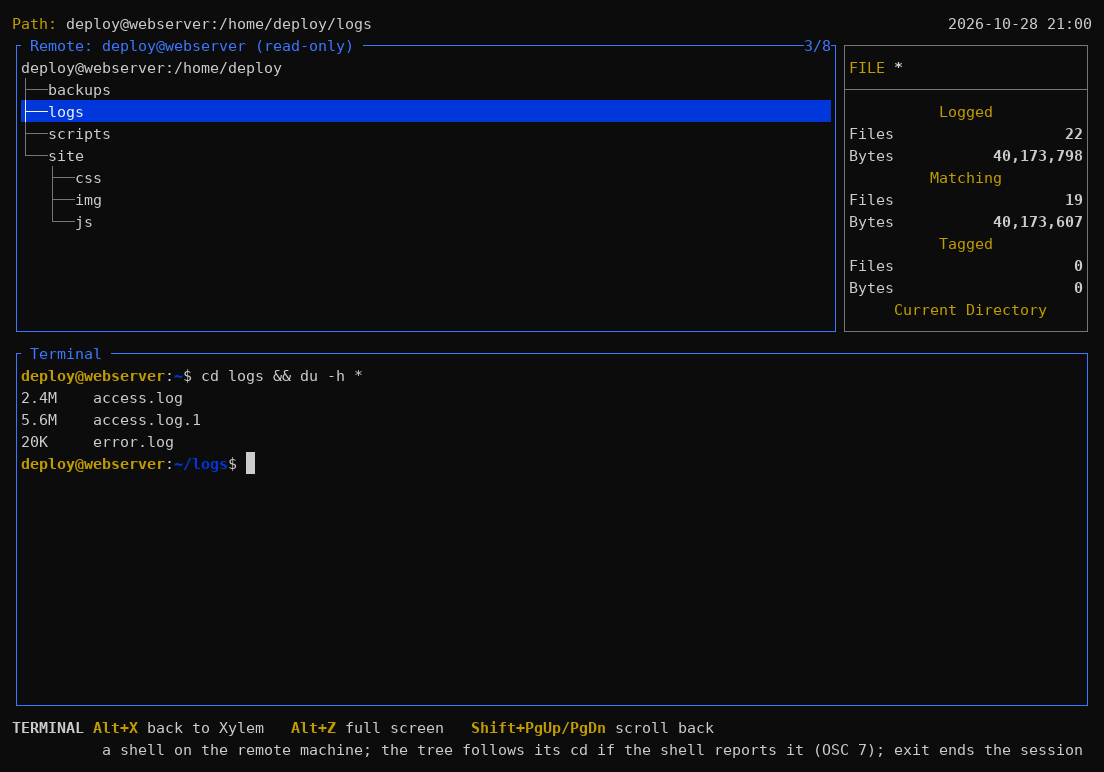
The server's shell under its tree, after cd logs: the tree has followed it to logs
The terminal there (Alt+X): a shell on the server, with the tree following its cd.